How to Enter Data Manually
How to Enter Data Manually
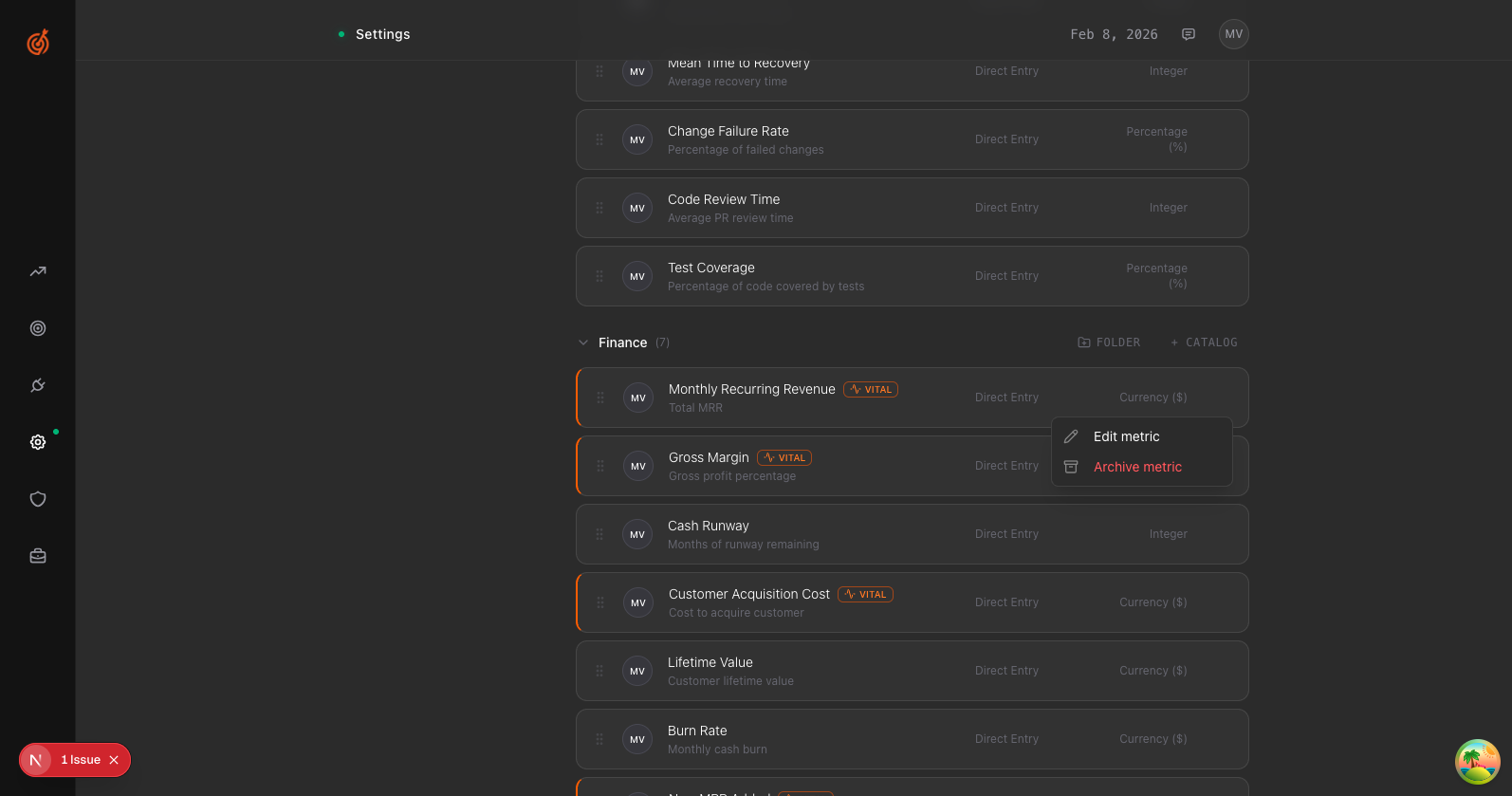
- Go to Settings → Metrics Library
- Find the metric you want to update
- Click the Manage button on that metric
- Select Edit metric
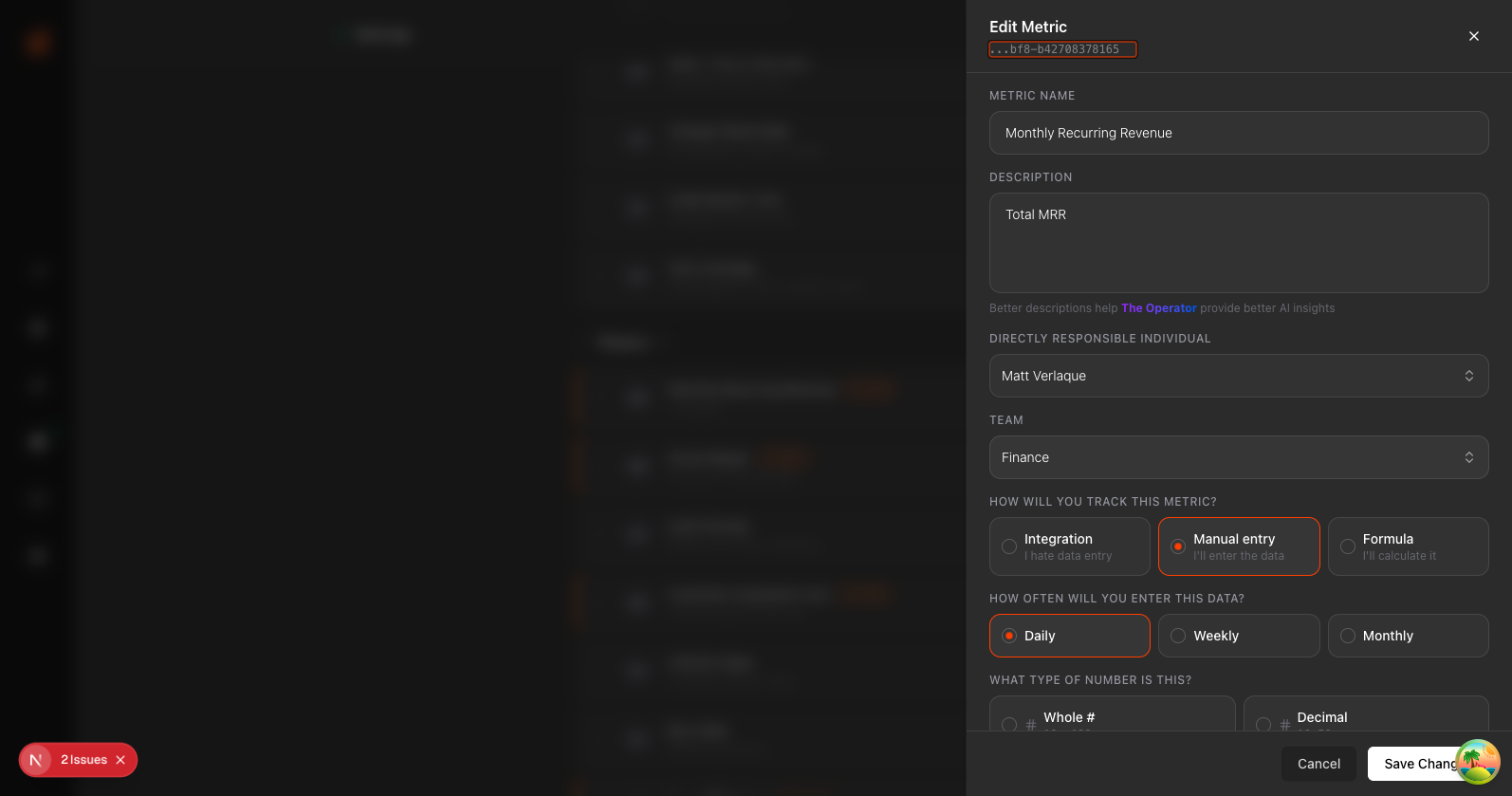
- Make sure Manual entry is selected as the tracking method
- Set how often you'll enter data (Daily, Weekly, or Monthly)
- Click Save Changes
Once saved, you can enter values directly from the metric card on your dashboard or team page.