Stripe Integration
To pull your Stripe data into Precision, you need to create a restricted API key in Stripe and paste it into Precision. This takes about 5 minutes.
Part 1: Create a Restricted Key in Stripe
Before you start: Have your Stripe account open and your phone nearby — Stripe requires two-factor authentication to reveal a new key.
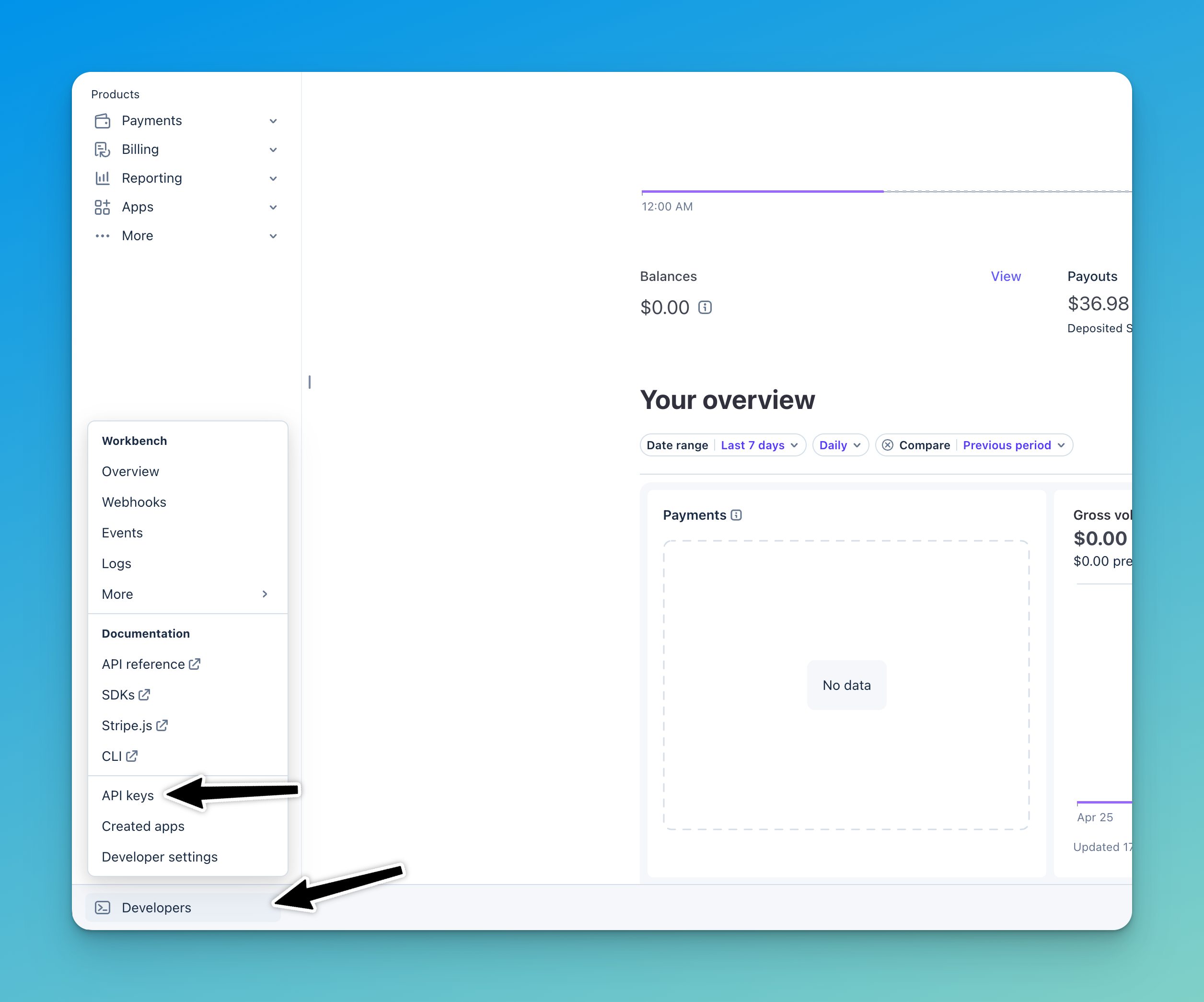
In Stripe, click Developers in the bottom-left corner.
Select API Keys from the Developers menu.
Click Restricted Keys, then click Add Restricted Key.
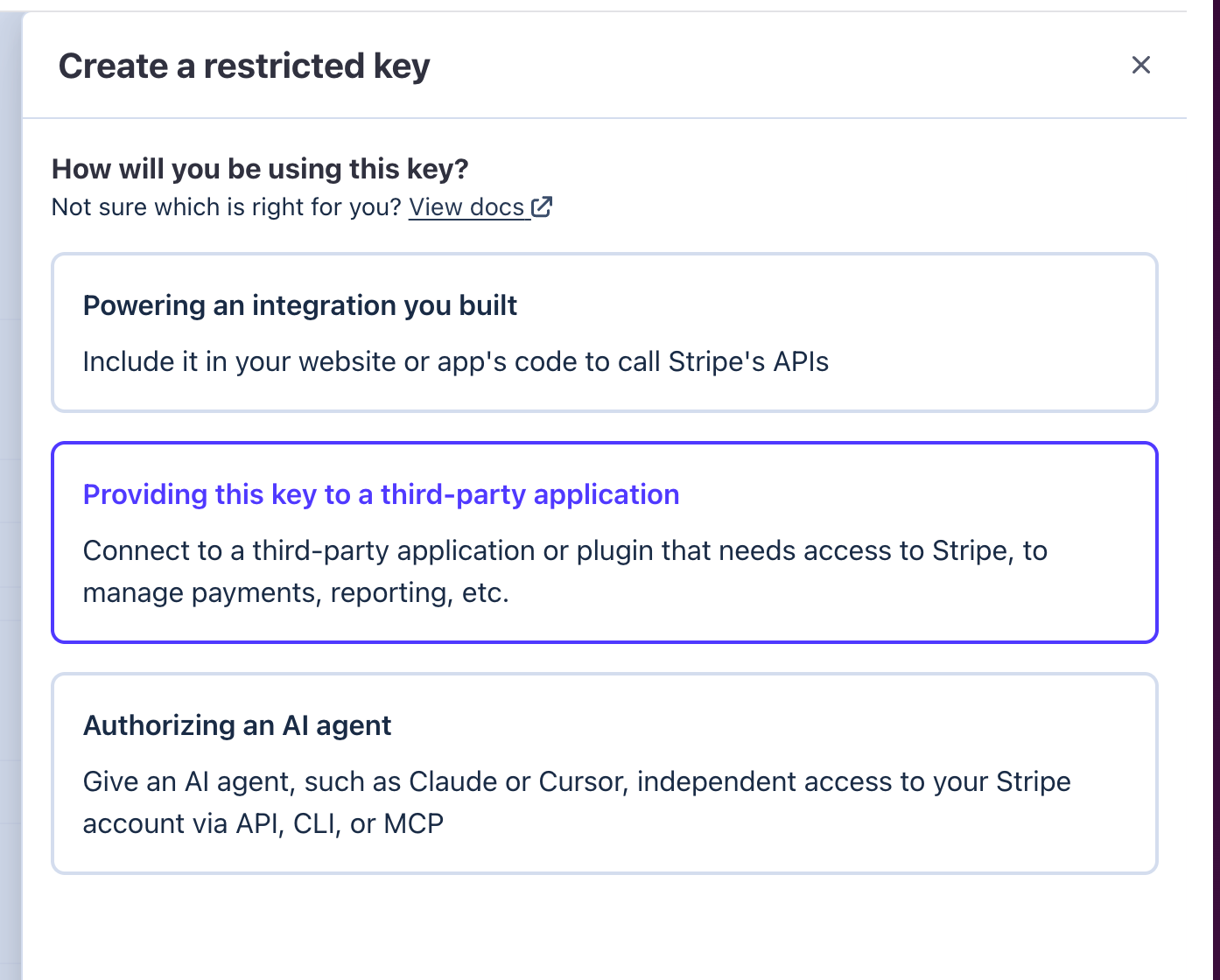
When prompted, choose "Provide this key to a third-party application".
Fill in the key details:
Name: Use something recognizable — e.g. Precision or Precision Scorecard
URL: precision.co
Check "Customize permissions for this key" and click Continue.
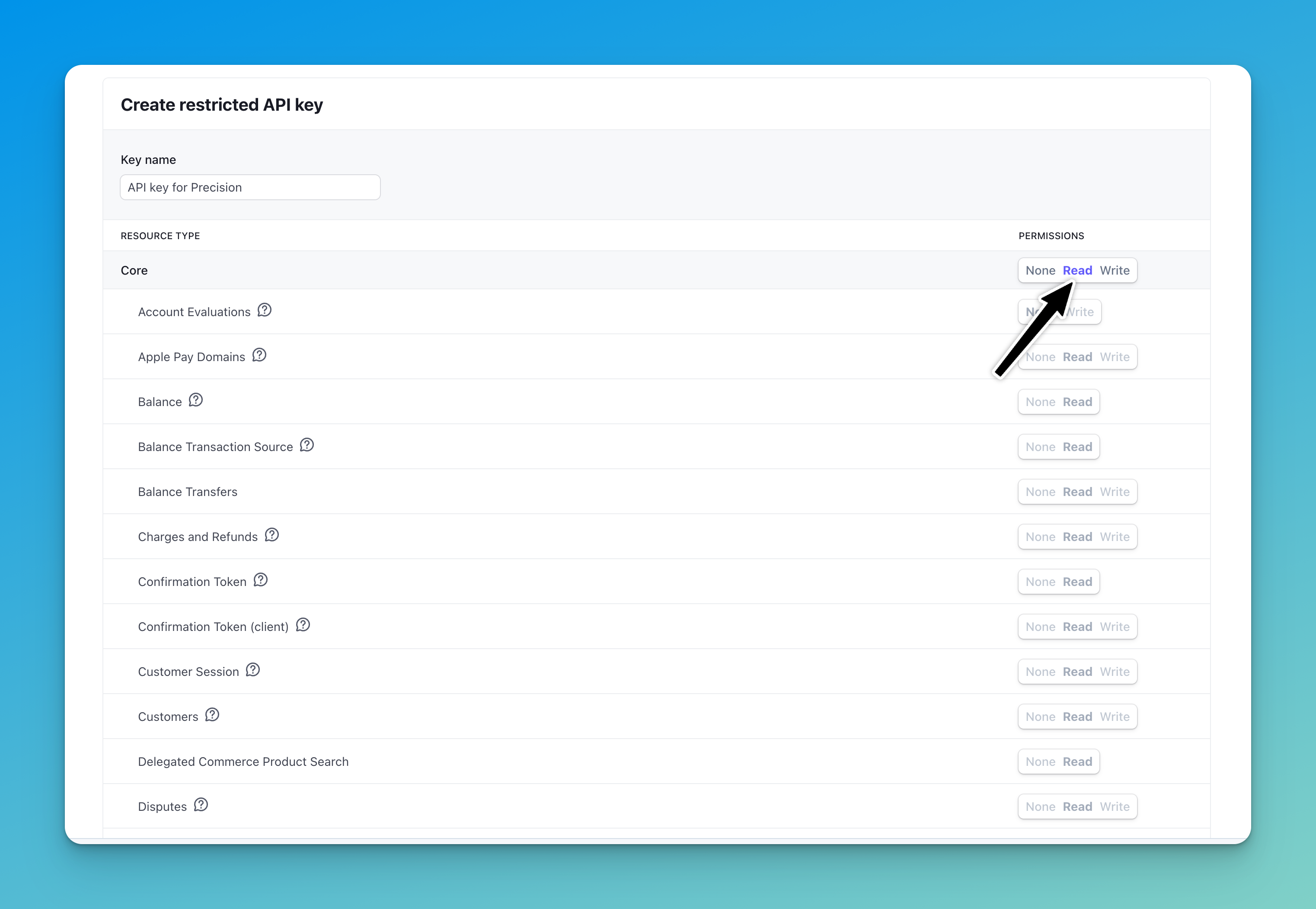
Set all permissions to Read:
⚠️ Click Read in the top header row — this sets every endpoint to Read at once.
Exceptions — set these to None:
Any endpoint that only shows None or Write (no Read option available)
At the bottom of the list: Provisioning, Radar, Sigma, Stripe CLI Permissions, Terminal, Webhooks, and Workflow
If you have a Stripe Connect account, you will see two rows of permissions. Apply the same rules to both rows.
Click Create Key.
Complete Stripe two-factor authentication (email or biometric, then a text code).
Copy the key immediately. Stripe shows it only once.
⚠️ If you navigate away before copying, the key is gone. Return to Step 3 and create a new one.
Part 2: Connect the Key in Precision
In Precision, open the Stripe integration screen.
Paste your restricted key into the first field only. Leave the second field blank.
Click Connect.
Once connected, Precision will pull your invoices, payments, subscriptions, and customer data from Stripe automatically.
Troubleshooting
The key is not working. The most common cause is a permission misconfigured. Re-check that all standard permissions are set to Read, and that the bottom-section permissions (Provisioning, Radar, Sigma, etc.) are set to None.
I need to reconnect Stripe. Create a new restricted key following the steps above, paste it into the first field in Precision, and click Connect.
Questions? Use the chat icon in the bottom-right corner of your Precision account.