How to Invite a User
How to Invite a User
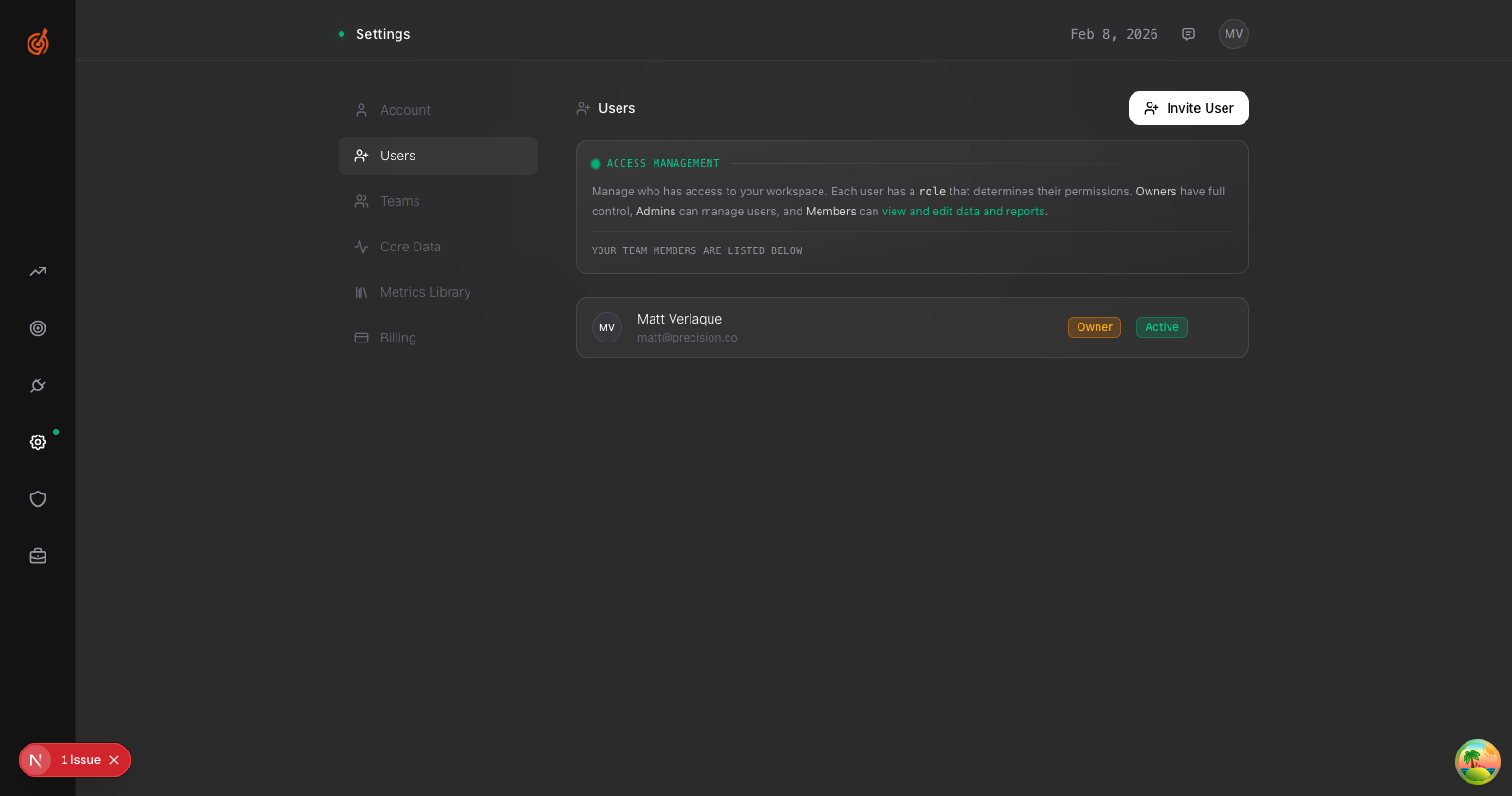
- Go to Settings → Users
- Click Invite User in the top right
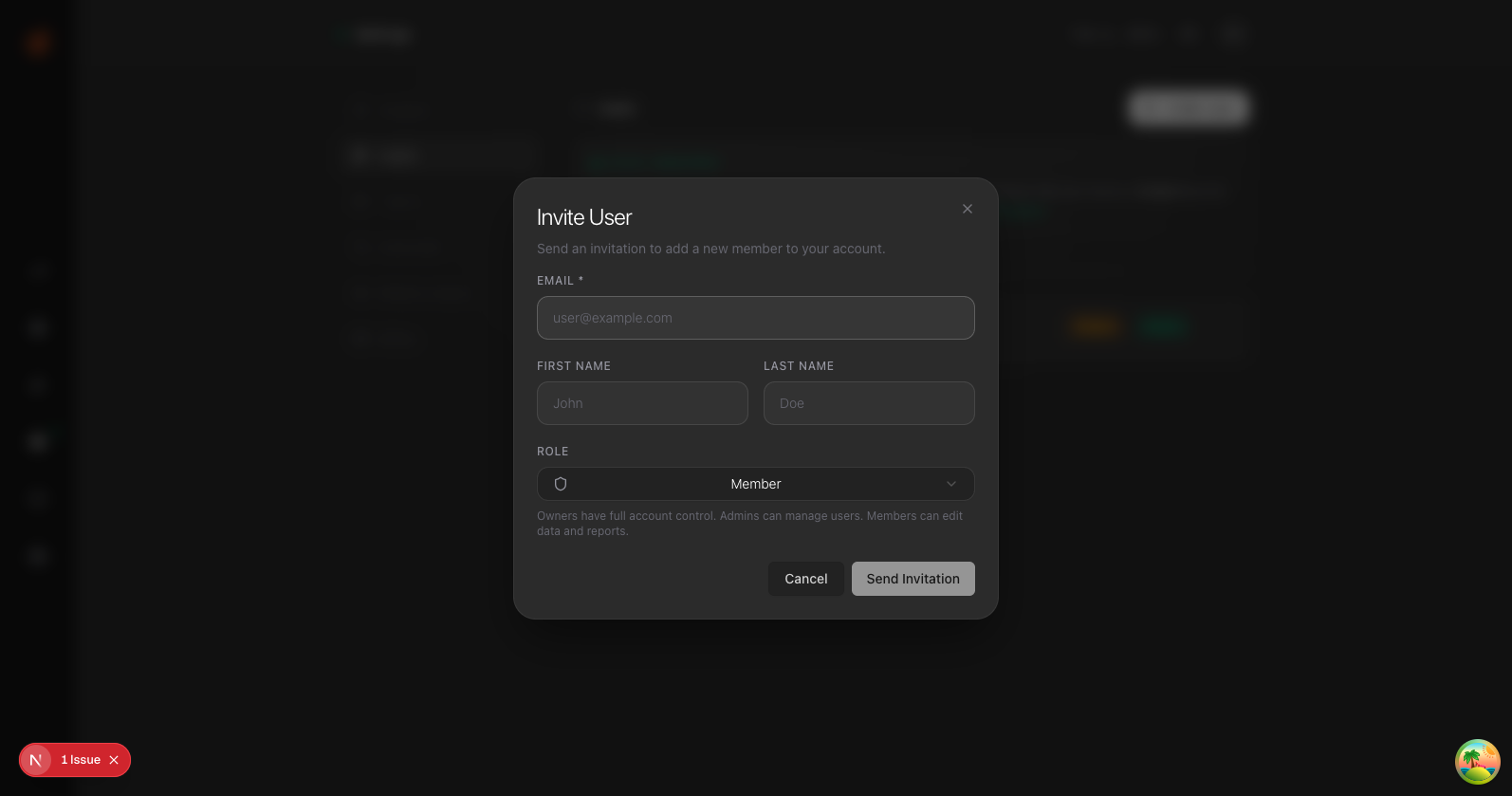
- Enter their Email, First Name, and Last Name
- Select a Role:
- Owner — Full control of everything
- Admin — Can manage users and settings
- Member — Can view and edit data
- Click Send Invitation
They'll get an email with a link to join your workspace.