How to Connect Claudia to Slack
Claudia is Precision's AI data analyst. Once connected to Slack, you can DM her directly to ask questions about your business — and she'll respond with analysis, charts, and insights without you ever opening the app.
Connect Claudia to Slack
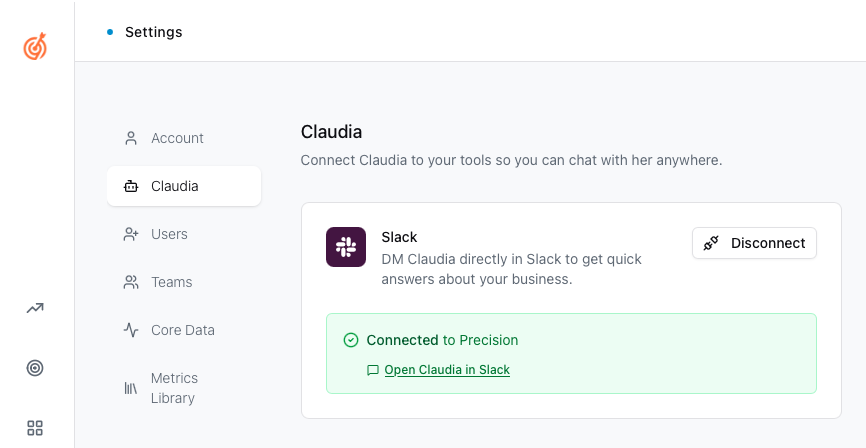
In Precision, go to Settings in the left sidebar.
Click Claudia.
Under the Slack card, click Connect.
Authorize the connection and pick which Slack account to add Claudia to.
Chat with Claudia in Slack
Once connected, click Open Claudia in Slack or find Claudia (from Precision) in your Slack sidebar under Apps.
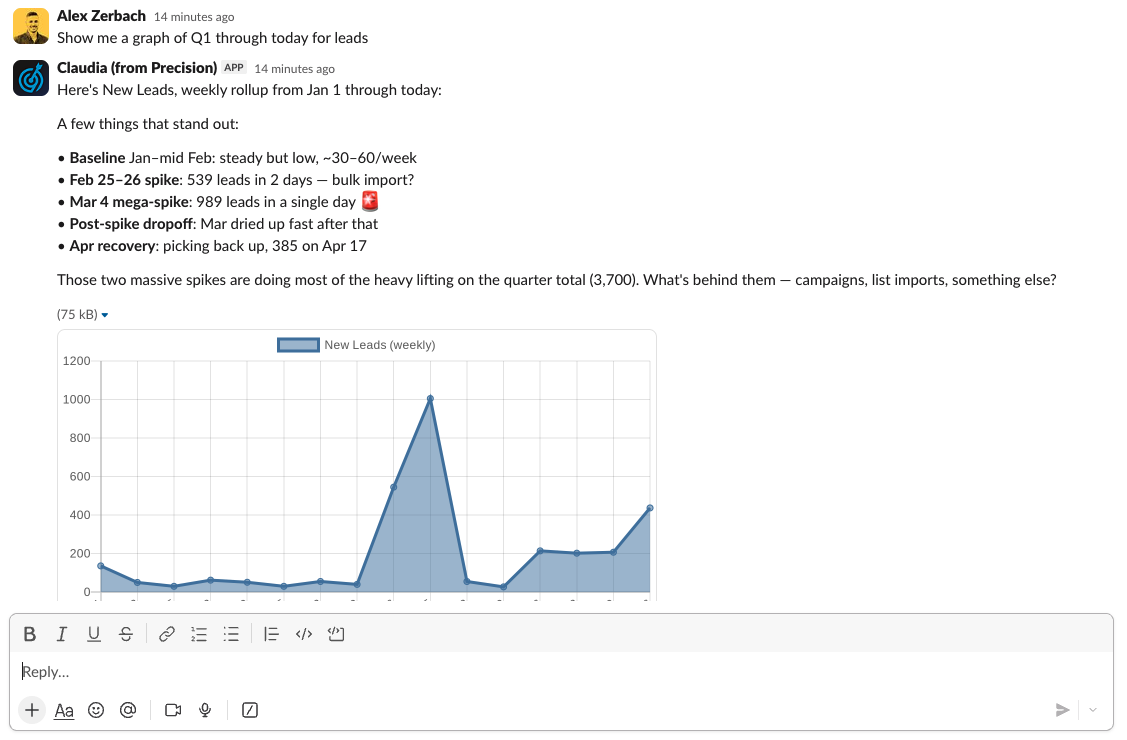
You can ask her anything about your data in plain English:
"Show me new leads for Q1"
"What was our revenue last month?"
"How are we tracking against our annual goal?"
You can also ask her to perform actions inside Precision:
"Add a metric to track sales by rep"
Claudia will respond with a written analysis and, where relevant, a chart pulled directly from your Precision data.
Disconnect Claudia from Slack
To remove the integration, go to Settings → Claudia and click Disconnect. This will not affect your Precision data.